levelCreator
I see a lot of potential in using Houdini Engine for game development, although Houdini is still often associated mainly with FX and VFX. Because of the nature of Houdini, different departments tend to see it through the lens of effects work, but its procedural systems can be extremely useful for many other areas of game production.
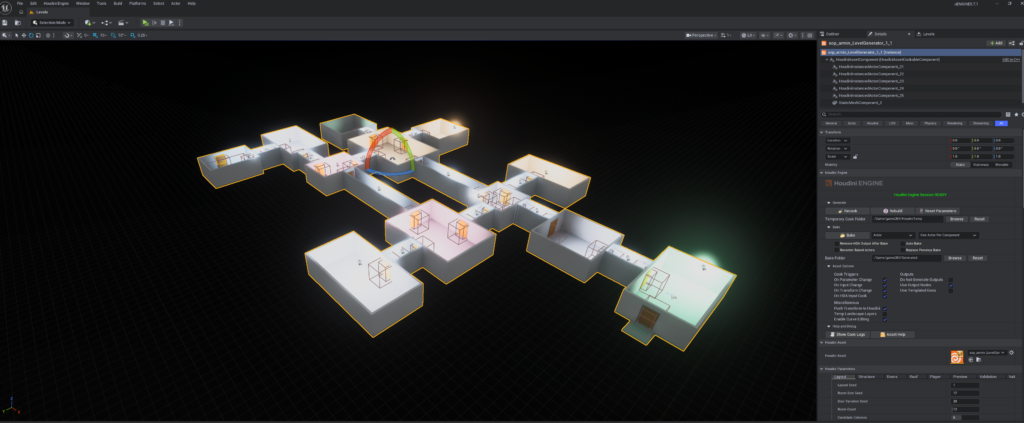
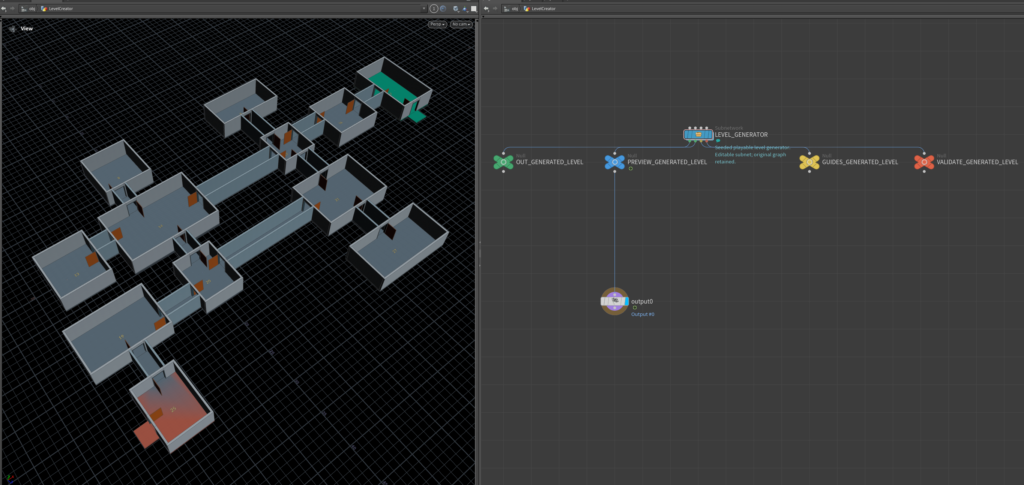
From my experience, Houdini Engine is most valuable as an authoring and procedural content-generation tool rather than as a traditional runtime system. In this case, I created a procedural workflow in Houdini, developed it into an HDA (Houdini Digital Asset), and then used that HDA inside Unreal Engine to generate procedural levels.
The generated result is not just geometry. The system creates a fully playable level, together with metadata that can later be used by other parts of the game pipeline.
For example, the HDA can generate information for:
- Room and area identification
- Spawn locations
- Gameplay zones
- Doors and connections between rooms
- Navigation-related information
- Lighting positions
- Collision
- Environment or biome information
- Gameplay tags and custom attributes
- Procedural variation parameters
This type of technical procedural workflow can significantly reduce production cost and iteration time.
Instead of manually building every level, we can create a procedural system that generates complete maps based on a controlled set of rules. For testing, I created a simple example that generates 100 random level variations, but technically the same system can generate a much larger number of combinations.
The important part is that procedural generation does not have to mean completely random generation.
Parameters can be locked or constrained so that the system produces consistent room layouts while still generating random details. We can also define specific sets of rooms, level modules, or gameplay rules and allow Houdini to create different combinations from those controlled building blocks.
This gives artists and designers a balance between procedural variation and artistic control.
For example, we could keep the overall room dimensions and gameplay layout consistent while randomizing smaller elements such as props, wall details, decoration, materials, environmental elements, or secondary geometry.
Procedural Lighting
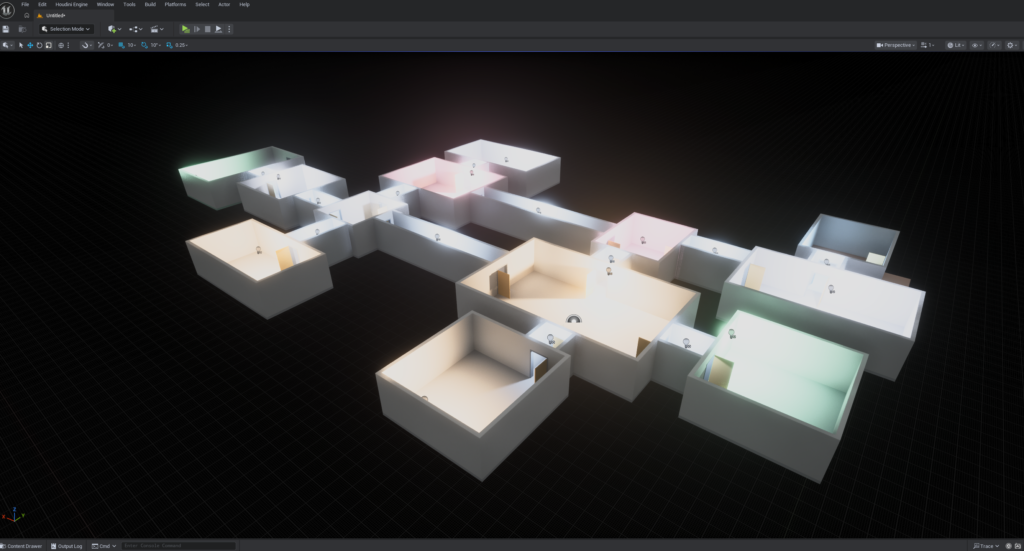
In this example, I generated only a minimal lighting setup, but the same system could also generate a complete lighting rig.
Because the procedural system already understands the structure of the level, the metadata generated by Houdini can be used to determine where lights should be placed, what type of light should be created, which room or gameplay area the light belongs to, and how lighting parameters should change depending on the generated environment.
This means lighting can become another part of the procedural level-building system rather than a completely separate manual process.
Houdini Copernicus / COPs
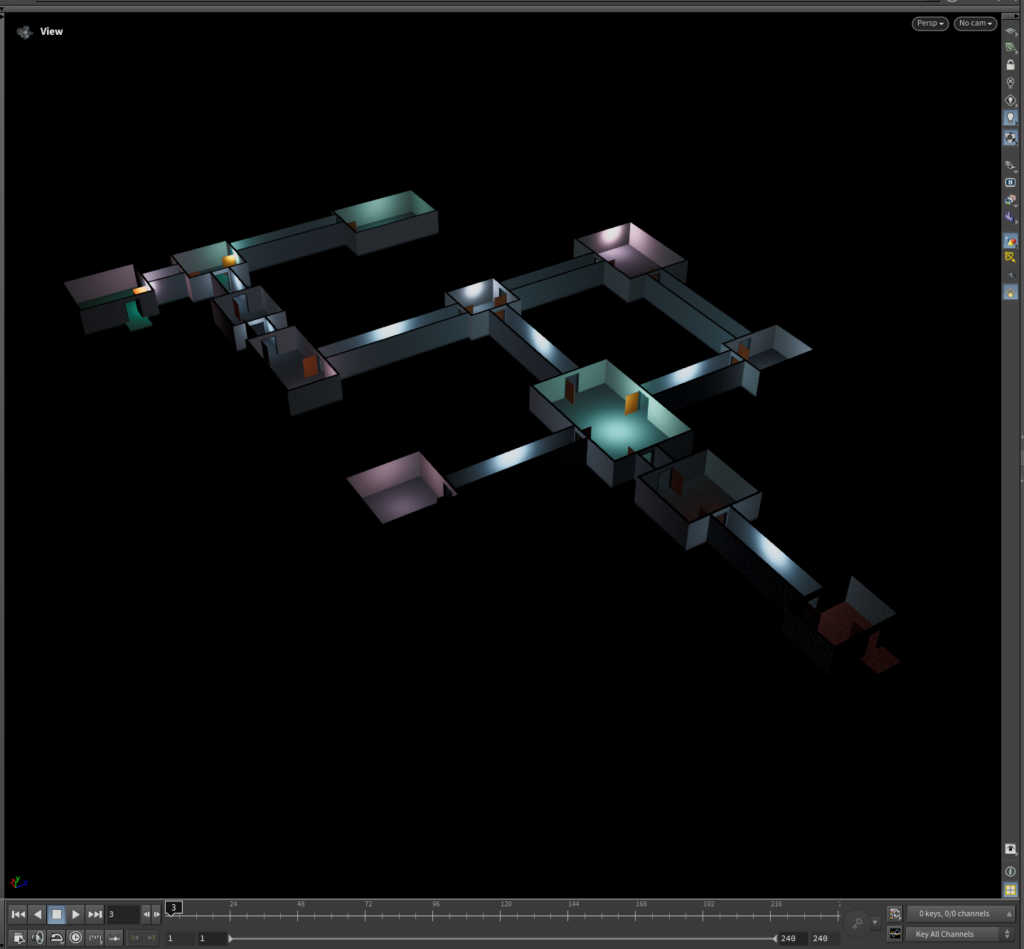
For the presentation and rendering side, I also used Houdini Copernicus/COPs for image processing.
I used it to perform tasks such as:
- Denoising the rendered image
- Adding metadata and text information
- Adding or generating backgrounds
- Basic compositing
- Automatic color correction
- Image adjustments
- Text overlays and technical information
With the newer Copernicus workflow in Houdini, I find that I no longer need to open Nuke for many simple compositing tasks.
For complex compositing, Nuke is still obviously extremely powerful, but for straightforward operations such as color correction, overlays, image processing, masks, backgrounds, and technical presentation renders, keeping everything inside Houdini can make the workflow much faster.
It also means that the entire process—from procedural generation to rendering and basic compositing—can remain inside the same procedural pipeline.
Unreal Engine Integration
Inside Unreal Engine, I used a simple Unreal character setup because my main goal was not character development. I mainly wanted to verify that the generated environment was actually playable and that the complete pipeline was functioning correctly.
The test allowed me to validate the connection between:
Houdini → HDA → Houdini Engine → Unreal Engine → Generated Level → Gameplay
The important part was confirming that the procedural generation, geometry, metadata, level structure, collision, and gameplay environment all worked correctly together.
This kind of system is useful not only for mobile games or infinite/procedurally generated games.
The same approach can also be valuable for:
- Puzzle games
- Sports games
- Roguelikes and roguelites
- Dungeon-generation systems
- Racing or track-generation systems
- Training and simulation environments
- Level prototyping
- Procedural environment production
- Large numbers of gameplay variations
- Automated testing environments
One of the biggest advantages of Houdini in game development is that we are not simply generating random geometry. We are creating procedural systems with rules, constraints, metadata, and designer-controlled parameters.
That makes it possible to generate large amounts of content while still maintaining consistency, gameplay requirements, and artistic direction.
For me, this is where Houdini Engine becomes particularly powerful for game development: not only as an FX tool, but as a procedural content creation and technical design system that connects directly with the game engine and the rest of the production pipeline.